Indexing
You can configure which product fields are indexed for search and filtering. This includes enabling extended attributes from your product templates for search, faceting, and sorting.
To access indexing configuration, go to Merchandise > Search > Indexing.
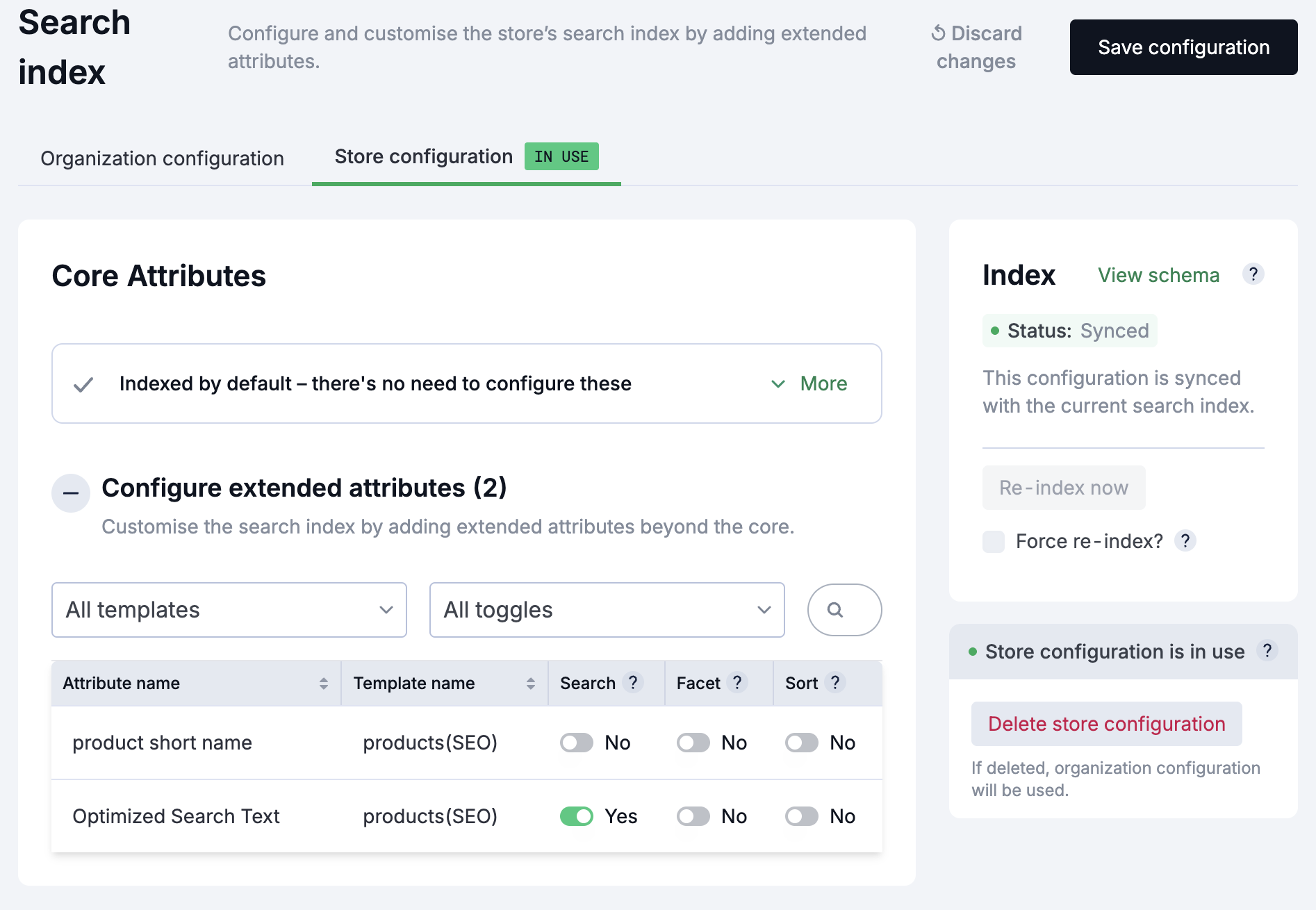
Store or Organization Scope
At the top of the Indexing screen, you can choose whether to configure indexing at the Store or Organization level. Only one scope can be selected at a time.
- Store: Index settings apply only to the current store.
- Organization: Index settings apply across all stores in your organization.
Configuring Extended Attributes
The Indexing screen displays a table of all available extended attributes from your product templates. You can configure each attribute for search, faceting, and sorting.
The table includes the following columns:
| Column | Description |
|---|---|
| Attribute name | The name of the extended attribute. |
| Template name | The product template the attribute belongs to. |
| Search? | Enable to include this attribute in full-text search. |
| Facet? | Enable to allow faceting (aggregated counts) on this attribute in search results. |
| Sort? | Enable to allow sorting search results by this attribute. |
Enabling an Attribute for Search
- Go to Merchandise > Search > Indexing.
- Locate the attribute you want to configure in the table.
- Toggle Search? to enable full-text search on this attribute.
- Optionally, toggle Facet? to enable faceting on this attribute.
- Optionally, toggle Sort? to enable sorting by this attribute.
After changing index settings, you must reindex your catalogs for the changes to take effect. See Reindexing.
Monitoring Index Status
The right-hand pane displays the current status of your search indexes, indicating whether they are synced or if a reindex is required.
Reindexing
When you make changes to your indexing configuration, a reindex is required for those changes to take effect in search results.
- Review the index status in the right-hand pane.
- If the status indicates a reindex is required, click Re-index now.
- Wait for the reindexing process to complete.
Reindexing may take some time depending on the size of your catalog. Search functionality remains available during reindexing, but results may be incomplete until the process finishes.